How to Check NEB 12th Exam Results 2083 – The National Examination Board (NEB) is expected to publish the Class 12 Exam Results 2083 for students from Science, Management, Humanities, Education, and other streams. Once the results are officially released, students can check their grades online, through SMS services, and other official platforms.
Every year, thousands of students eagerly wait for their Grade 12 results because these results play a crucial role in university admissions, scholarship opportunities, entrance examinations, and future career planning.
If you are wondering how to check your NEB Class 12 Result 2083 quickly and safely, this guide covers every official method.
Contents
- 1. NEB Class 12 Result 2083 Overview
- 2. How to Check NEB 12th Result 2083 Online
- 3. How to Check NEB Class 12 Result 2083 via SMS
- 4. How to Check NEB Result Through IVR
- 5. How to Check NEB Result Using USSD
- 6. Details Available on the NEB 12th Marksheet
- 7. What to Do If the Result Website Is Not Working?
- 8. What to Do After Checking Your NEB Result?
- 9. Frequently Asked Questions (FAQs)
- 10. Conclusion
NEB Class 12 Result 2083 Overview
The National Examination Board (NEB) conducts Grade 12 examinations across Nepal. After evaluating answer sheets and processing results, NEB publishes the final grades through its official result portals. Students can access their results using their Symbol Number and, in some cases, Date of Birth.
Result Details
| Particulars | Information |
|---|---|
| Examination | NEB Class 12 Board Examination 2083 |
| Conducting Authority | National Examination Board |
| Result Status | To Be Published |
| Academic Level | Grade 12 (+2) |
| Result Mode | Online, SMS, IVR, USSD |
| Official Website | NEB Result Portal |
How to Check NEB 12th Result 2083 Online
Checking your result online is the easiest and most popular method.
Step-by-Step Process
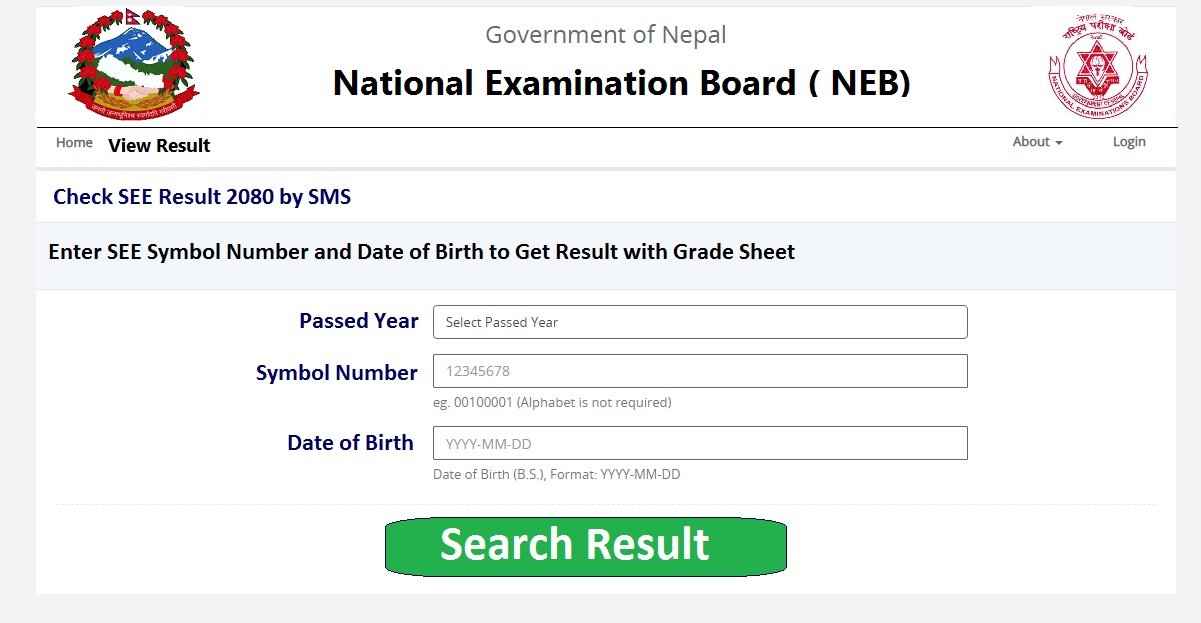
- Visit the official NEB result website.
- Enter your Symbol Number.
- Enter your Date of Birth if required.
- Click on the “Submit” or “View Result” button.
- Your Grade 12 result will appear on the screen.
- Download or print your marksheet for future reference.
Information Required
Before checking your result, keep the following ready:
- Symbol Number
- Date of Birth
- Stable internet connection
How to Check NEB Class 12 Result 2083 via SMS
Students who do not have internet access can easily check their results through SMS.
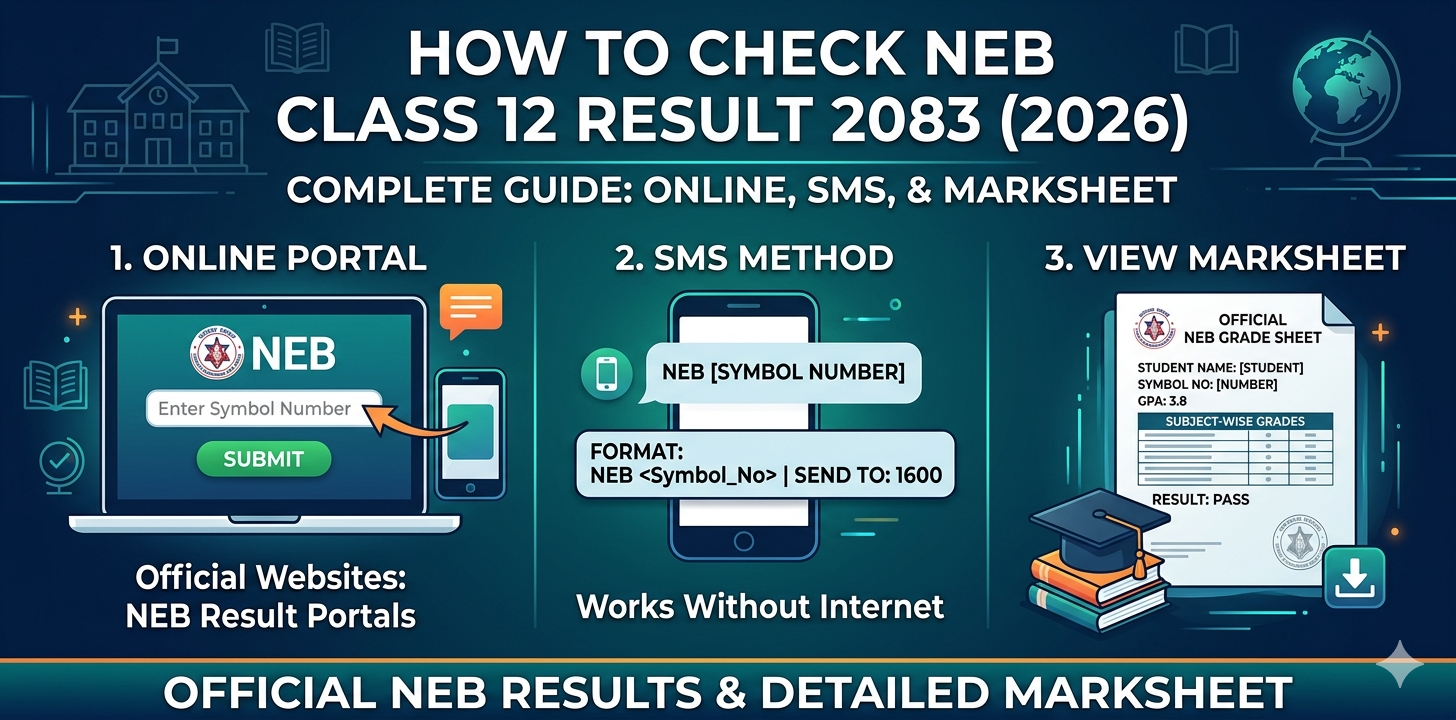
SMS Format
Type:
NEB Symbol Number
Example:
NEB 12345678
Send it to:
1600
You will receive your result directly on your mobile phone through SMS.
How to Check NEB Result Through IVR
Another convenient method is the Interactive Voice Response (IVR) system.
Steps
- Dial 1601.
- Follow the automated instructions.
- Enter your Symbol Number.
- Listen to your result details.
This method is especially useful when result websites experience heavy traffic.
How to Check NEB Result Using USSD
Students using Nepal Telecom services may also check results through USSD.
Steps
- Dial:
*1600#
- Select the NEB Result option.
- Enter your Symbol Number.
- View your result on the screen.
Details Available on the NEB 12th Marksheet
After viewing your result, carefully verify the following information:
- Student Name
- Symbol Number
- Registration Number
- School Name
- Subject-wise Grades
- GPA
- Practical Grades
- Result Status (Pass/Incomplete)
What to Do If the Result Website Is Not Working?
On result day, official websites often receive millions of visits simultaneously, causing slow loading times.
If the website is not opening:
- Wait a few minutes and refresh.
- Use SMS services.
- Try IVR services.
- Use USSD if available.
- Access the website during non-peak hours.
What to Do After Checking Your NEB Result?
After receiving your Grade 12 result, consider the following steps:
For Students with Good Grades
- Apply for scholarships.
- Prepare for university admissions.
- Apply for entrance examinations.
- Explore international study opportunities.
If You Are Unsatisfied with Your Result
- Apply for re-totaling or rechecking if NEB opens the process.
- Stay informed about supplementary or chance examinations.
- Consult academic counselors regarding future options.
Frequently Asked Questions (FAQs)
When will NEB Class 12 Result 2083 be published?
The result is expected to be published after NEB completes the evaluation and result processing procedure. Students should follow official announcements for the exact date.
Can I check my NEB result without the internet?
Yes. You can check your result through SMS by sending:
NEB Symbol Number
to 1600.
What is required to check the result online?
You generally need:
- Symbol Number
- Date of Birth
to access your complete marksheet.
Can I download my marksheet?
Yes. After viewing the result online, students can download and save the marksheet for future use.
Conclusion
The NEB Class 12 Result 2083 is one of the most important milestones for students in Nepal. Whether you choose to check your result online, through SMS, IVR, or USSD, make sure you use only official channels to avoid misinformation. Keep your Symbol Number ready and stay updated with official announcements from NEB.
Best of luck to all students awaiting their Grade 12 results. Your hard work and dedication will open new opportunities for higher education and future success.